How to Go Live on TikTok: The Complete Creator's Guide
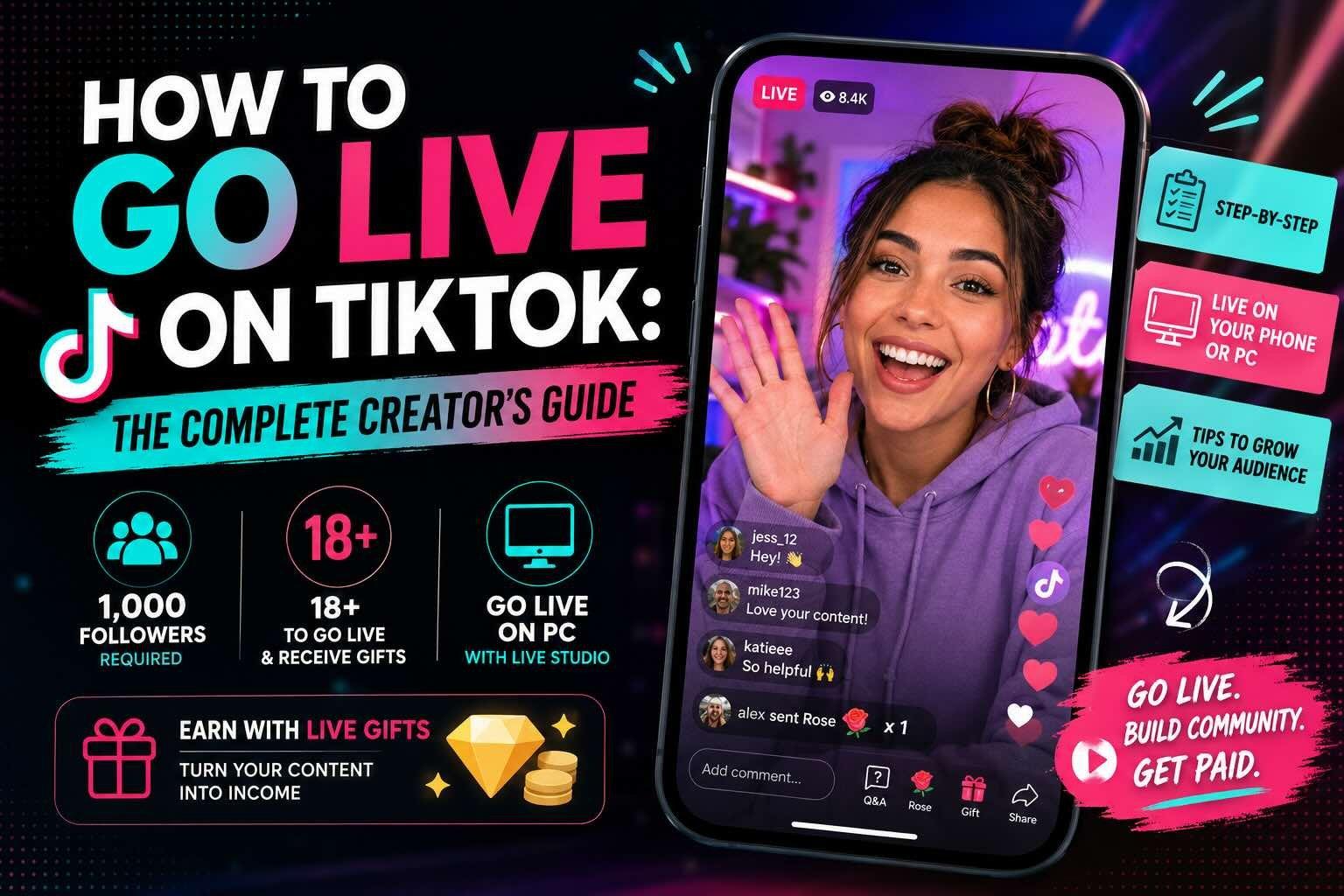
Going live on TikTok is one of the fastest ways to build a real connection with your audience. It is also one of the most misunderstood features on the platform, mostly because the rules around who can actually use it keep changing. So whether you are trying to figure out how to go live on TikTok for the first time, or you are stuck wondering why the button is not showing up, this guide walks through all of it as of 2026: the requirements, the step-by-step, how to go live on TikTok on PC, and how creators actually get paid when they do.
Let's get into it.
How many followers do you need to go live on TikTok?
This is the question almost everyone asks first, so let's answer it directly.
To go live on TikTok, you generally need 1,000 followers. That has been the standard requirement for a while, and for most accounts it is still the number to hit. Once you cross 1,000 followers, the LIVE option typically unlocks in the create menu.
A few important caveats, because the follower count is not the whole story:
- You also need to be at least 18 years old to go live, and 18 to send or receive gifts. TikTok verifies age, so a brand new account claiming to be 18 will not necessarily get instant access.
- Your account needs to be in good standing. Recent Community Guidelines violations can block LIVE access even if you have the followers.
- TikTok has tested lower thresholds in some regions tied to engagement and posting activity, so the exact requirement can vary depending on where you are.
So if you have ever searched "how many followers on TikTok to go live" and gotten three different answers, that is why. The reliable target is 1,000, but the requirements to go live on TikTok include age and account standing too.
Coming from another platform? The follower bar varies a lot: Instagram also requires 1,000 followers, but the rules changed only recently (here is our complete guide to going live on Instagram). Twitch and YouTube are more forgiving, you can stream on Twitch from day one with no follower minimum, and you can live stream on YouTube from a desktop with no minimum either.
What are the requirements to go live on TikTok?
Before the step-by-step, let's nail down the requirements to go live on TikTok, because missing one is the usual reason the LIVE button never shows up.
- Followers: You generally need 1,000 followers. Once you cross it, the LIVE option typically unlocks in the create menu.
- Age: How old do you have to be to go live on TikTok? You have to be at least 18 years old to go live, and 18 to send or receive gifts. TikTok verifies age, so a brand new account claiming to be 18 will not necessarily get instant access.
- Account standing: Your account needs to be in good standing. Recent Community Guidelines violations can block LIVE access even if you have the followers.
So when people search "what are the requirements to go live on TikTok" and get three different answers, this is why: it is not just one number, it is followers plus age plus standing.
Can you go live on TikTok without 1,000 followers?
Sort of, and this is where people get tripped up.
Officially, the requirement is 1,000 followers. There is no legitimate button that says "go live without 1,000 followers." If you see a tool or service promising to let you go live on TikTok without 1,000 followers, be careful, because most of those are sketchy and can get your account flagged.
That said, there are a couple of real paths. TikTok occasionally grants LIVE access to smaller accounts in certain regions or through specific programs, and some creators have reported access slightly below the threshold when their engagement is strong. But the honest answer is that the fastest, safest way to go live on TikTok is to focus on getting to 1,000 real followers first. Post consistently, lean into trends, and the LIVE feature will open up.
How to go live on TikTok (step by step)
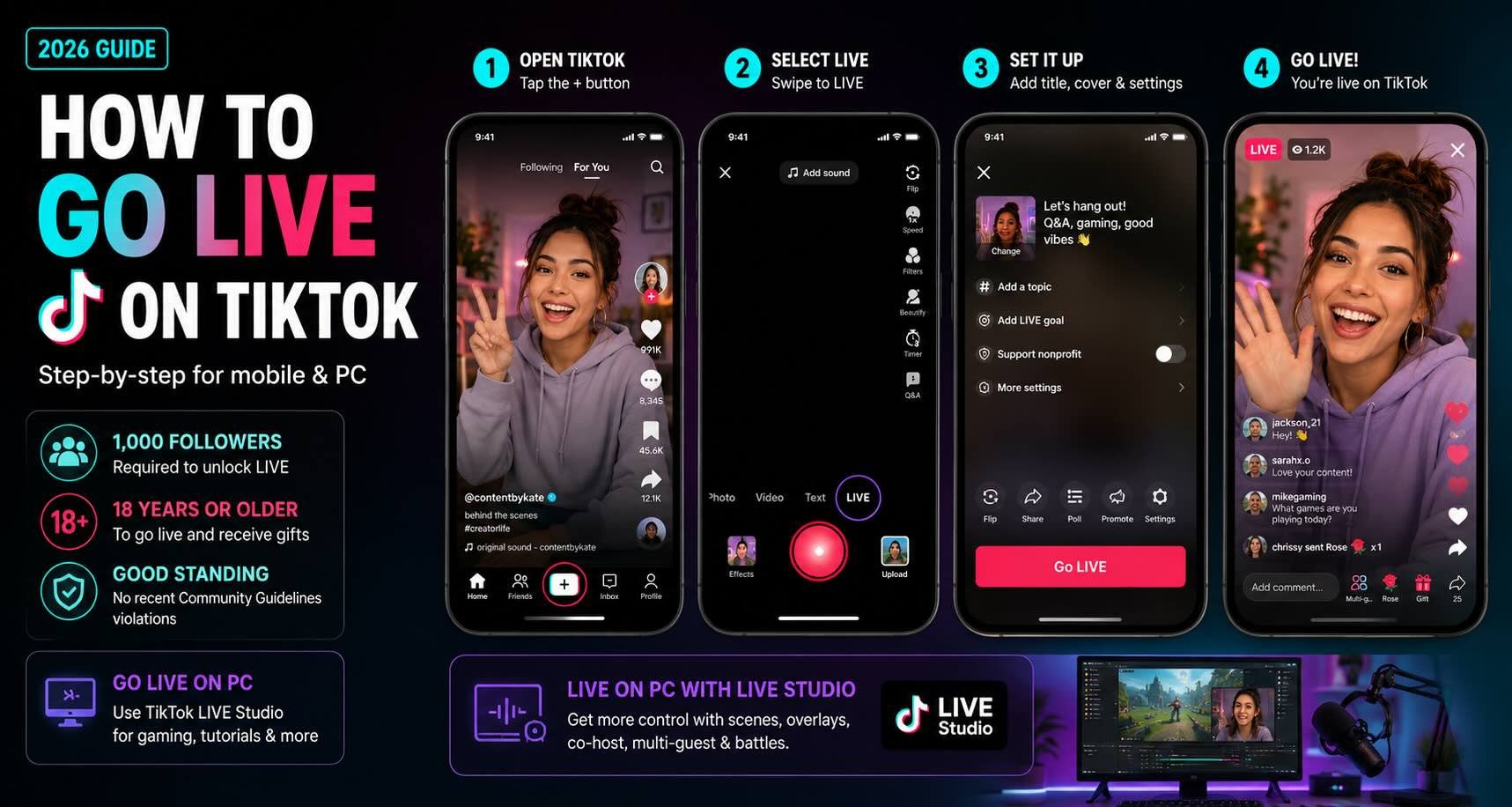
Once you have hit the requirements, going live is quick. Here is how to livestream on TikTok from your phone, step by step:
- Open the TikTok app and tap the + button at the bottom of the screen, the same one you use to post a normal video.
- Swipe across the options at the bottom (Photo, Video, Text) until you reach LIVE.
- Choose a thumbnail and write a title for your stream. A strong, specific title matters more than people think, since it is what shows up when your live is surfaced to potential viewers.
- Tap Go LIVE.
That's it. You are now live on TikTok. From there you can flip the camera, add filters, pin a comment, assign a moderator, and see who joins in real time.
A few quick tips for a stronger stream once you are on:
- Hook people in the first 30 seconds. TikTok's discovery surface drops viewers fast, so do not spend the opening getting set up.
- Say people's names when they join or comment. It is the single easiest way to keep viewers around.
- Stream on a consistent schedule. The algorithm rewards regularity, and your audience learns when to show up.
How to go live on TikTok on PC
A lot of creators want to go live from a computer, especially for gaming, tutorials, or anything where a phone camera is limiting. If you want to livestream on TikTok from a computer, the good news is you can, using TikTok LIVE Studio.
TikTok LIVE Studio is TikTok's official desktop streaming app for Windows. Here is the short version of how to go live on TikTok on PC:
- Download TikTok LIVE Studio from TikTok's site and log in with your account.
- Make sure you meet the same requirements (1,000 followers, 18+, good standing). The desktop tool does not get you around the follower rule.
- Set up your scene: add your camera, your screen capture, any overlays.
- Write your title, then hit Go LIVE.
LIVE Studio also supports features like co-host, multi-guest, and battles, which let you stream alongside other creators and tap into their audiences. If you have ever watched two TikTok creators go head to head for gifts, that is the battle feature, and it is one of the better organic growth levers on the platform right now.
If you prefer software like OBS, you can also connect it to TikTok LIVE through LIVE Studio, which gives you more control over your layout and quality.
How creators get paid: TikTok LIVE gifts and gift value
Here is the part that actually matters for a lot of people: going live on TikTok can make you money.
The main way is through gifts. Viewers buy Coins with real money, then send you virtual gifts during your stream. Those gifts convert into Diamonds on your end, which you can then withdraw as cash.
How much are TikTok gifts worth?
If you are trying to figure out TikTok gift value, here is the quick math. Viewers buy Coins, then send gifts that convert into Diamonds on your end. Each Diamond is worth about half a cent, and you cash out Diamonds through PayPal once you hit the minimum.
The catch is the cut. TikTok shares roughly 50% of net revenue with creators, and that is after Apple or Google already take 15 to 30% on the original Coin purchase. So a gift that cost a viewer a few dollars nets you noticeably less. TikTok gift value adds up gradually, which is why most creators treat it as supplemental rather than a primary income source.
Beyond gifts, TikTok also has Super Fan (a monthly subscriber tier with perks), the Creator Rewards Program for video views, and TikTok Shop for selling products. But for going live specifically, gifts are the core money-maker.
This is also the honest part: gifts are a nice supplement, but the real money in the creator economy is in brand partnerships. A single brand deal can be worth more than months of gifts. The trouble is that landing brand deals usually means having representation, and most creators do not have an agent. That is exactly the gap Trovio exists to close. We give creators of all sizes the tools that agents bring to the top 1%: brand matching, media kits, pitching, and analytics, without taking a cut of your deals. Going live builds your audience. Trovio helps you turn that audience into income.
Quick FAQ
How many followers to go live on TikTok? 1,000 followers, plus you need to be 18 or older with an account in good standing.
How old do you have to be to go live on TikTok? 18. You also need to be 18 to send or receive gifts.
Can you go live on TikTok on PC? Yes, using TikTok LIVE Studio, TikTok's official desktop streaming app. The follower and age requirements still apply.
What are the requirements to go live on TikTok? 1,000 followers, age 18+, and an account in good standing with no recent guideline violations.
Do you make money going live on TikTok? Yes, mainly through gifts that viewers send during your stream, which convert to Diamonds you can cash out. TikTok takes a cut, so treat it as supplemental income.
Ready to grow the audience that makes going live worth it? See how Trovio helps creators land brand deals →